For Apple Music families

Their music.On their device.

Give your child their own player, filled only with music you approve from Apple Music. They choose what plays, without browsing the wider catalog.

Download on theApp Store
14-day free trial. No credit card required.
Then $4.99/month or $39.99/year for your family.

Requires Apple Music, sold separately.

Need help getting started? Email Pedro.

You choose. They press play.28-second overview. No sound needed.
Read the overview

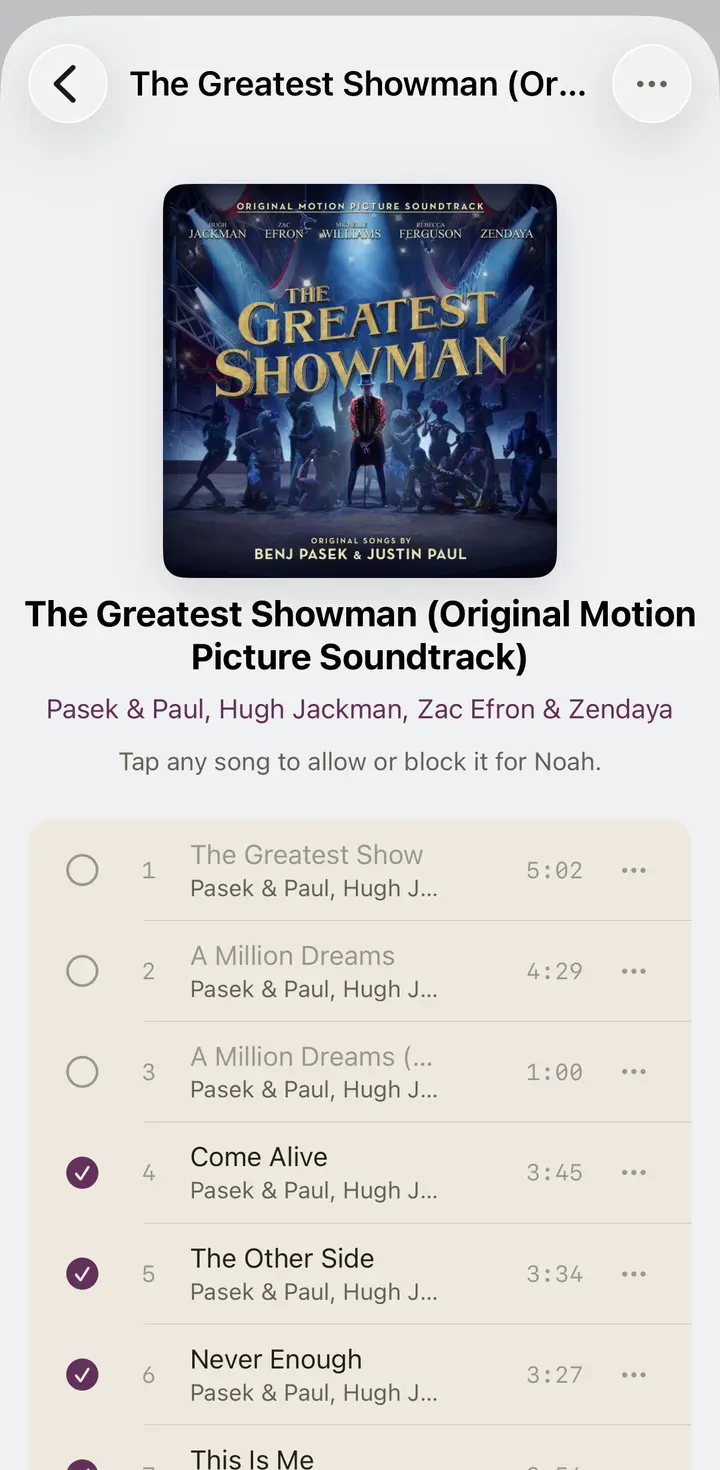
The child's player contains their approved music. In the parent view, some songs on an album are checked and others are not. The child view of that same album shows the approved songs. Children choose what to play from that selection.

Songkrate works on iPhone, iPad, and Apple TV. The 14-day trial is followed by a separate Songkrate subscription at $4.99/month or $39.99/year. Apple Music is required and sold separately.

A music player of their own.

An approved collection for your child, with the controls to manage it yourself.

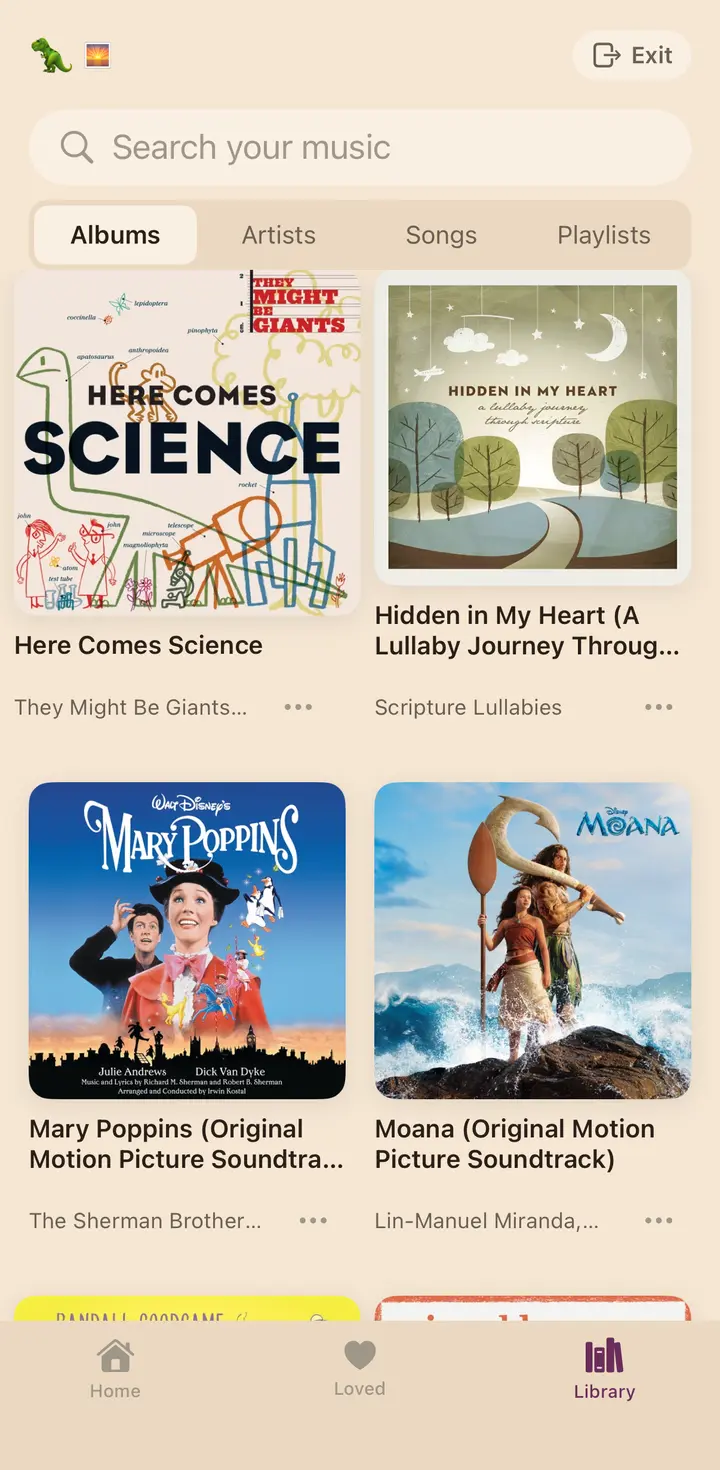
The kid's own library in Songkrate: real albums their parents approved, nothing else
What the kids see
Only what you allowed
Your child browses the collection you approved, rather than the wider Apple Music catalog.
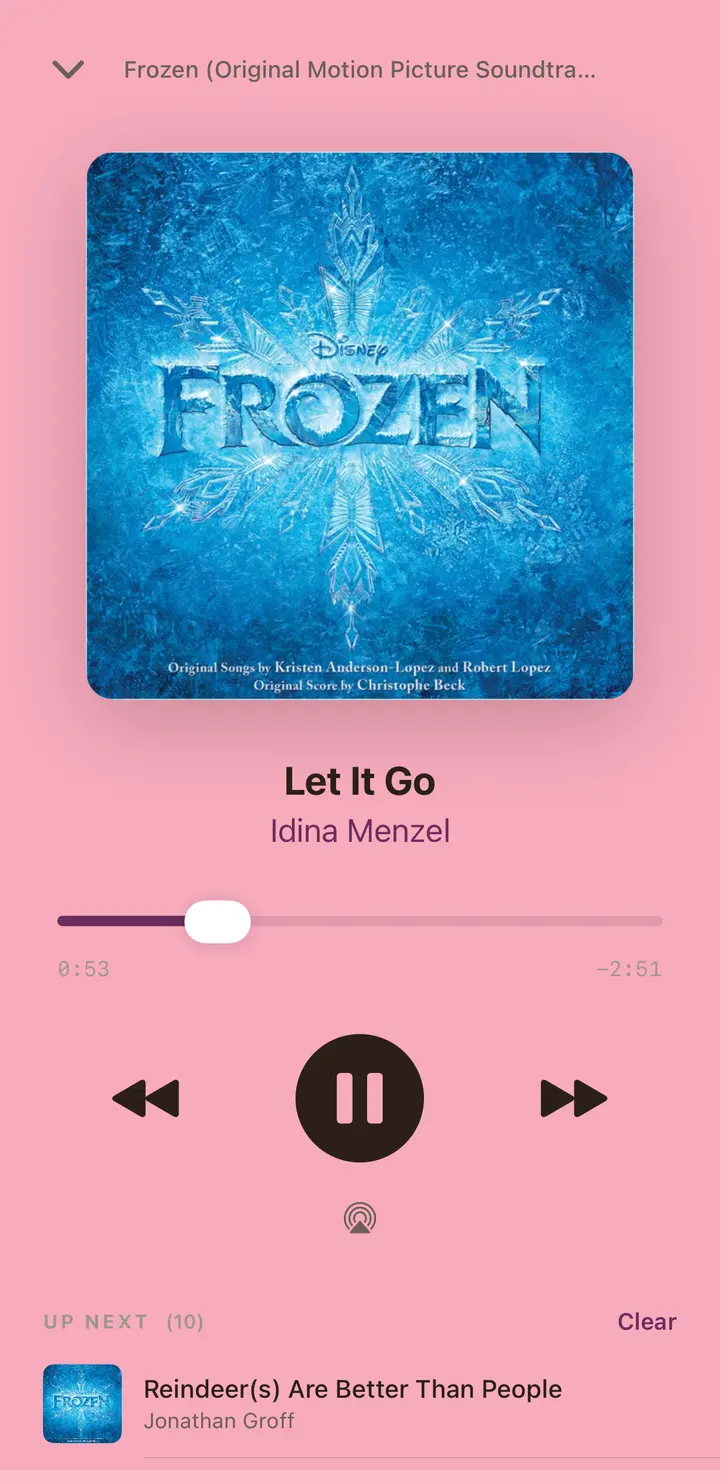
Songkrate playing Let It Go from the Frozen soundtrack through Apple Music
For the music
Real Apple Music, made simple
Listen through Apple Music in a player built around your child's collection.
The parent view: approving or blocking individual songs on an album
For you
You hold the keys
Choose individual tracks and manage each child's profile. Parent controls are protected by a PIN.

They want music. You want a say.

Maybe your child borrows your phone to play an approved playlist. Or they have a device of their own, but you're not ready to give them access to the whole music catalog.

Songkrate gives them a player containing only the music you allow. Start with a collection you already know. They can choose what to play without borrowing your phone or asking you to start every song.

"When I was a kid, what was in the house was in the house. That was the whole system. Streaming deleted the boundary. I wanted the crate back."
Pedro, who built Songkrate for his own kids · read the whole story

How it works

Start with one child and music you already know.

1

Check Apple Music access

The iPhone or iPad used for listening needs access to Apple Music. Songkrate is a separate subscription.

2

Choose a starting collection

Create one child profile and add music from Apple Music. Choose individual songs or select the tracks you want from an album.

3

Let them choose

Open the child's profile and let them explore their approved music. You can add more whenever you want.

What's in it

A child's own collection, with parent controls where you need them.

👨‍👩‍👧‍👦

A profile per kid

Each child can have a different approved collection, with their own playlists and favorites. Start with one profile and add others when you're ready.

🔒

PIN-protected parent mode

A parent PIN protects the controls for profiles, settings, and the approved collection.

🎵

Real Apple Music playback

Play music through Apple Music on iPhone, iPad, and Apple TV. The listening device needs Apple Music access.

📺

On the big screen

The same profiles and approved music are available on Apple TV. There is no additional Songkrate charge for the TV app; Apple Music access is still required.

💫

Listening history

View the recent playback history recorded for each child's profile.

🎧

Your choices, not a filter

Songkrate doesn't decide which songs are appropriate for your family or scan lyrics. You choose what goes into the child's library.

💬

Manage from your phone

Manage the approved collection from your phone. You can invite another parent or guardian to help.

Their own music, in everyday life.

On a child's device or one the family shares.

🏠

The shared iPad

One iPad can hold different profiles, each with its own approved collection and playlists.

📱

Their own iPhone

Your child can choose approved music on a compatible iPhone instead of borrowing yours. Device restrictions remain a separate setup step.

📺

The living room

Use the Apple TV player for shared listening, choosing from the same collection you've already approved.

From families using it

Reviews from the App Store.

★★★★★
“Exactly what our family needed. Works great. We didn’t have a good music solution for our family until this app arrived.”
jdmelin, App Store review
★★★★★
“Great music app. Great app to let your kids listen to music safely!”
Manchufelo, App Store review

Frequently asked questions

Quick answers to the things parents ask most.

Does Songkrate work with Screen Time?
Yes. Songkrate limits music inside its own player; Screen Time manages restrictions elsewhere on the device. See our setup guide for configuring them together.
Do I need an Apple Music subscription?
Yes. Apple Music provides the music, and Songkrate is a separate subscription for the parent-approved player. The device used for listening needs Apple Music access. If your child uses a separate Apple Account, check that account's access and your Apple Music Family Sharing setup.
What happens if I remove a song from my kid's library?
It is removed from that profile's approved collection and related playlists and favorites. Previously recorded playback can remain in the parent's listening history.
Can multiple parents manage the same library?
Yes. Invite another parent or guardian from Settings. They'll get full access to manage profiles and curate music. Up to 5 family members total.
Is there a free trial?
Yes. The 14-day trial starts when you create an account, with no credit card required. After the trial, Songkrate costs $4.99/month or $39.99/year. If you choose to purchase a subscription before the trial ends, the paid subscription starts immediately. Apple Music is required and sold separately.
Does it work on iPad?
Yes. Songkrate runs on both iPhone and iPad. The kid's music player adapts to the bigger screen.
Does it work on Apple TV?
Yes. Sign in to Songkrate on Apple TV to use your existing profiles and approved music. There is no additional Songkrate subscription for the TV app. The Apple TV needs its own working access to Apple Music for playback.
Do I have to set up every child's library at once?
No. Start with one child and a small collection you already know. Add more profiles or music when you're ready. Email Pedro if you'd like help with the first setup.
Start their first collection.

Choose some music you know. Let them choose what plays.
Try Songkrate free for 14 days, then $4.99/month or $39.99/year. Requires Apple Music, sold separately.

Download on theApp Store
14-day free trialDownload on the App Store